2. Task: Timer
We provide you with a boilerplate for Timer, please build a Timer based on it. The boilerplate for Timer contains some snippets to save your time. We have also added TODO comments in the boilerplate to help guide you to the missing functionalities that are needed.
We expect you to do the task using ReactGenie mostly by yourself, and we will give you guidance on the other part of the task that are not unique for ReactGenie, such as the control logic and UI implementation. We also provide guidance about what functionality of the app should be supported, so you can focus on implementing these functionalities rather than design it from scratch yourself.
2.1 Task Description
Integrate ReactGenie with a simple timer app as provided in the boilerplate repo to integrate voice commands to allow multimodality for users.
Users may use a variety of possible voice interactions. Think about the different interactions that a user might use when interacting with the app. We have given five possible user interaction inputs as an example.
This is the UI of a Timer.
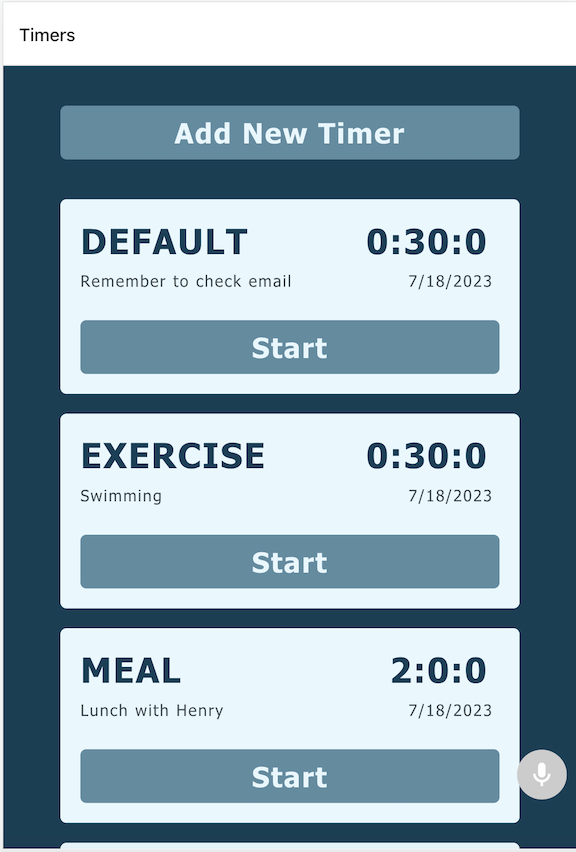
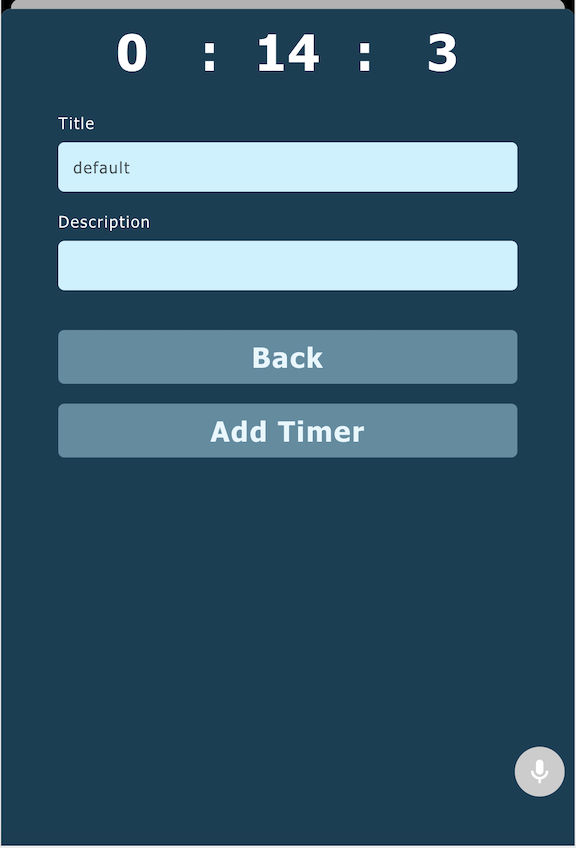
User might use these multimodal interactions:
- User says "Create a new timer for 2 minutes." (with pic 1)
- User says "Delete this time", then click on the timer list.(with pic 1)
- User says "Show me all the default timer."(with pic 1)
- User says "Start all timers."(with pic 1)
- User says "Set the time to one and a half hours."(with pic 2)
2.2 Setup
We have prepared you with a starter project called Timer in the UserStudy folder on the desktop.
We will construct a new Timer using this starter project.
Install dependencies using npm install.
You can run the app using npx expo start --web.
2.3 Overview of TimerAppBoilerplate
We've broken the boilerplate code into 3 parts.
-
State Code: This is used to control and manage the app, such as managing data and executing functions. It is written in the
geniefolder. We've set up a filegenie/Timer.tsfor you. Please implement your Timer app state code there. -
UI Code: This is used to display the state data and allow users to interact with the data via the UI. It is written in the
srcfolder. We've already provided all of the UI code for you, but you will need to integrate the state data values and methods to interact with the states into the components. -
Link State Code to UI: This involves linking the State to UI so ReactGenie knows using which UI to render which type of results. You will need to modify
App.tsxandstore.ts.
2.4 Preset Class
ReactGenie has provided preset HelperClass TimeDelta. You can use it to help you build the Timer.
You can create a property of TimeDelta in Timer to help you handle the time.
import {TimeDelta} from "reactgenie-lib";

class Timer{
    //create a TimeDelta instance
    public delta : TimeDelta;


}
Here we list some function and the usage examples you might need.
//property
    public hour: number;    // an integer representing hours
    public minute: number;  // an integer representing minutes
    public second: number;  // an integer representing seconds

//functions
// Returns a new instance of TimeDelta.
// Arguments are optional, defaults are 0 if not provided.
// Use to create a new instance of TimeDelta
static CreateTimeDelta({hour?: number, minute?: number, second?: number}) : TimeDelta;
//example:
TimeDelta.CreateTimeDelta({hour:0, minute:0, second:0})

// Adds an offset to a TimeDelta instance.
// All arguments are optional and are added to the properties of the instance
addOffset({hour?: number, minute?: number, second?: number});
//example:
delta.addOffset({hour:1, minute:0, second:0})
delta.addOffset({hour:0, minute:0, second:-1})

// Sets time to a TimeDelta instance.
// All arguments are optional and are seted to the properties of the instance
setTime({hour?: number, minute?: number, second?: number});
//example:
delta.setTime({hour:1, minute:0, second:0})

// Returns the total amount of time left in seconds.
getLeftSecond():number;
//example:
delta.getLeftSecond()

//Get the cotent of TimeDelta
toString():string;
//example:
delta.toString()
2.5 Good luck!
Use the provided comments in the TimerAppBoilerplate, the tutorial with Counter example, and ReactGenie docs to complete the timer app with React Genie.